
 Contents:
1. What is a Menu
2. How to Create a Menu
3. Where to Place the Menu
What is a Menu
To enable your visitors to navigate your website you need a Menu to help them. The best way to have your visitor interact with your page is to keep it simple.
Keep your Menu simple with only around 5 – 7 main Menu headings. If you need to add further pages to your menu, it’s best to have them housed underneath one of your Main Menu topics… i.e: About can house your Privacy Page and your Terms and Conditions Page.
Most WordPress Themes allow you a few choices of where you wish your menu to be placed, for example either at the top or the bottom of the page. In my videos WordPress for Beginners you can find out more information on how to best arrange your WordPress website to attract and engage more visitors.
For my niche and business, visitors could be looking for keywords such as WordPress for Beginners; WordPress Step by Step, WordPress Elearning so remember to keyword your website to ensure you get ranked well. And you could use those words as headings for your menus.
And remember that the way to do this is to check to see if the words are ranking using a tool like Adwords Keyword Planner. Using this tool will show you all the keywords that are being ranked and how popular or unpopular they are – and in my case they would be around the area of “Using WordPress”. So I would be looking for keywords in my niche like: WordPress for Beginners, Using WordPress, WordPress Elearning, WordPress Step By Step, WordPress Tutorial for Beginners.
How To Create a Menu
Creating a Menu is simple – as shown in this attached video. You can either place your menu at the top or bottom of your WordPress Website.
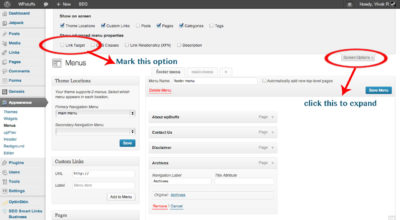
Just go into your Dashboard’s Appearance tab and you will find Menus as a sub menu to select.
Once you are in that area you can see you have lots of choices to make…. Or you can just choose one to get you started.
By default each time you create a page, it will be added to the menu – but once you create your own menu – you must manually add each page to that newly created menu.
To recap
The main points are:
Do your keyword research
Choose which Menu Items you will display
Choose which Menu items you will make as sub menu items
Create a Menu
Choose where you will place your Menu

